
Split receipts fairly. Locally.
Snap a receipt, assign items to people, get an exact per-person total — without an account, a cloud, or a paywall.
Free and local-first. Works on macOS, Windows, and Linux.
curl -fsSL https://7174andy.github.io/scansplit/install.sh | shirm https://7174andy.github.io/scansplit/install.ps1 | iexmacOS / Linux installs into /Applications or ~/.local/bin. Windows runs the setup installer.
What it does
Multi-receipt transactions
Combine several receipts into one shared bill — dinner + drinks tab, one split.
AI line-item extraction
Claude Sonnet 4.6 reads the photo and returns structured items, tax, tip, and discounts.
Per-person assignment
Toggle who had what. An empty assignment defaults to "everyone."
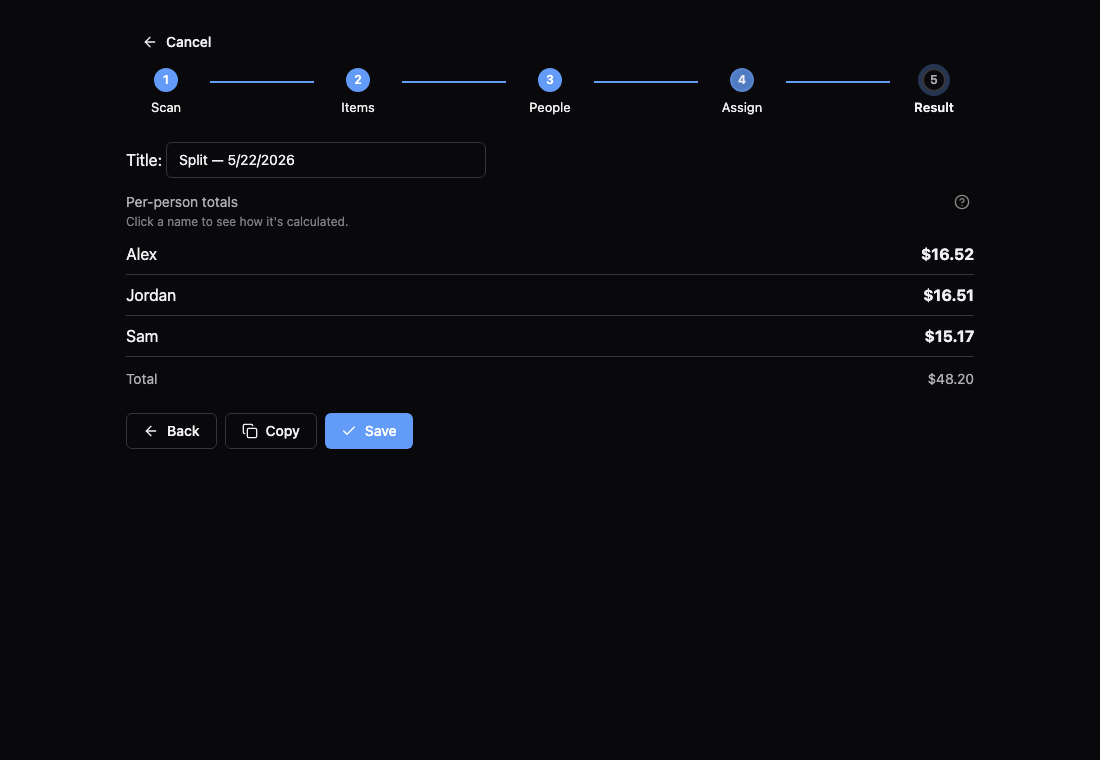
Exact fair-share math
Integer cents, largest-remainder allocation, proportional tax and tip. Totals always sum exactly.
Learns over time
Correct a cryptic SKU once ("ITEM 4823" → "Caesar Salad") and ScanSplit remembers it for that merchant.
Local-first
Data lives in a SQLite database on your machine. The only outbound call is the OCR request to Anthropic.
Other platforms and architectures
| Platform | File |
|---|---|
| macOS (Intel & Apple Silicon) | ScanSplit_*_universal.dmg |
| Windows (installer, recommended) | ScanSplit_*_x64-setup.exe |
| Windows (MSI) | ScanSplit_*_x64_en-US.msi |
| Linux (AppImage, self-updating) | ScanSplit_*_amd64.AppImage |
| Linux (Debian/Ubuntu) | ScanSplit_*_amd64.deb |
| Linux (Fedora/RHEL) | ScanSplit-*.x86_64.rpm |
Every file above is attached to the latest release.
Bundles are unsigned. macOS: right-click → Open the first time (or use the install script, which strips the quarantine flag for you). Windows: click More info → Run anyway when SmartScreen warns.